
The best way to understand the difference between an AI agent and an application is to ask another question: Why didn’t AI take off when it arose during the 1950s? Because therein lies your answer.
In the 50s, there was a similar artificial intelligence euphoria and panic; a funding flush and then drought. What it came down to was that people of the time vastly overestimated the reasoning abilities of machines that seemed like they were thinking, but weren’t.
The first AI therapist chatbot, ELIZA, launched in 1964, is a prime example. ELIZA executed a simple trick: Whatever people told it, it repeated back as a question. If you said, “I’m lonely,” it replied, “Lonely?” Users found it bewitching. In just a few exchanges, they’d drop into such personal territory that some grew alarmed. ELIZA’s creator, Joseph Weizenbaum, turned against it and spent the rest of his career trying to warn the public. He knew the trick was superficial and was worried people would delegate their thinking to it.
So, what is an agent, and what is an application? ELIZA seemed like an agent, improvising and reacting like a person. But it was really an application—just following a set of pre-programmed instructions. After too many of those moments, 50s AI funding collapsed. Now that it’s back, we’d do well to understand that history, and keep those differences clear and trustable.
So, what is an AI agent?
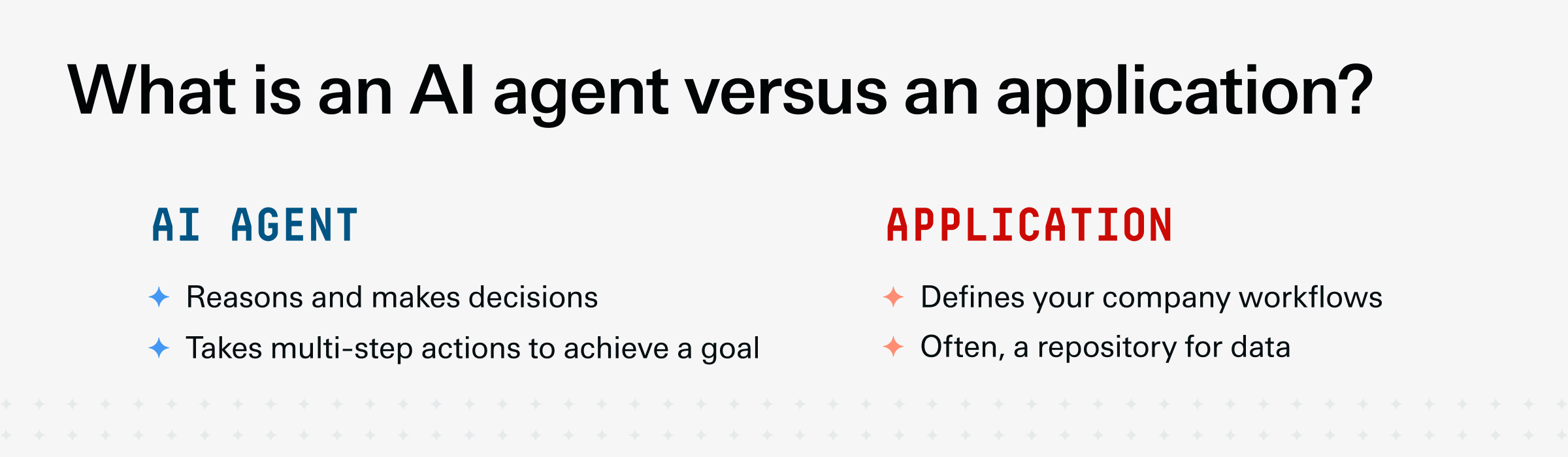
An AI agent is a software that takes multi-step actions on its own, on the power of its own judgment. Here, the definition of “agent” is actually pretty useful: It’s Latin for “one who acts.” It was a person who you deputized to act on your behalf. 15th-century agents were, of course, people. Nowadays, they likely aren’t.
Now, plain old “AI” and “AI agent” are not the same. You can tell an AI agent apart by asking, “Can it handle something on my behalf?” Most chat LLM interfaces don’t pass this bar. If you ask Claude to run your order-to-cash process, it may tell you how to do it, then demur. It’s just a chat bubble. Whereas if you ask this of Claude Cowork, the AI agent version, it will navigate your browser to open your ERP and click buttons. (Depending on the access you’ve granted it.)
Not all AI agents are the same. If you want to understand if you have an effective AI agent versus an ineffective one, ask this: “Can it overcome any issues in my instructions to still get the job done?” Only good ones can. We’ll return to this idea later.
What is an application?
An application is very unlike an AI agent. It’s the software we’ve all used for decades, full of screens and tabs, meant to help you execute on a real-life workflow, digitally. For example, your billing platform is an app designed to help you track, request, and make payments. And your ERP is an app that governs your critical workflows like record-to-report and order-to-cash.
Apps do not do the work for you, nor take multi-step actions to figure out how. They can’t plan. They can only structure that work and give you buttons to press. It makes the work easier, to be sure, but its primary value is that it creates definition and lets you and your team enter information that compounds in value. Or, run strictly defined automations, like sending alerts and reminders.
Just because applications don’t “think” doesn’t make them less useful. In the 2020s when AI agents re-emerged, there was a panic as pundits declared software “dead.” Why pay for all that expensive core software like ERPs and CRMs and human capital management when an AI agent could just execute on your behalf? But look around and you’ll find no fully autonomous AI companies or even business departments. We’re not aware of any mid-sized company that ditched its ERP for ChatGPT agents. That’s because there’s a lot to like about an application’s determinism: They do as they’re told.
AI agents, on the other hand, improvise. This is useful, but also means they are sometimes unpredictable and illogical. Ask it to run your close process and it may invent an entirely new type of close process. And AI agents and LLMs generally have limited context windows, meaning they can only understand so much at a time. Typically, far less than they’d need to run your billing process, and for you to trust them sending and collecting on invoices. (At least so far.)
Thus, we still have core applications. Companies need most of their back office to run predictably, on machines that are programmable, predictable, debuggable, auditable, and defensible.
AI agent pros and cons
After that initial panic around AI agents eating all software, ERP and CRM stocks have rebounded. Markets are satisfied that there’s no doing away with your safe, deterministic core systems. Because as smart as agents seem, the architecture of an LLM is that it’s guessing the next token, aka word, one word at a time, with only limited recursive ability to consider what it typed prior. It doesn’t truly understand the work it is doing, in the human sense. It just knows the most likely responses and inputs.
With the sheer volume of data those models are trained on, that guessing is actually highly effective at work. It does amount to a form of intelligence and gets a lot of answers right. Just not at a human level of intelligence, judgement, and accuracy. Incorporating agents into your team’s work is a question of risk and reward. What back-office tasks can you reliably hand off to something that has a margin of error? Where can you tolerate some degree of wrongness? Or, as is common, malicious compliance, where it takes a rightly reasoned action based on your company’s inaccurate and decayed data?
One ERP administration team we know attempted to automate its procure-to-pay process and found that while the agent system was highly effective at some of it, the final 10% of exceptions had no precedent. Because they weren't in the dataset, the agents didn’t always make the right decisions.
The nature of these issues are fixed somewhat by the type of agent you are using, determined by its architecture and training data. For example, Lensing’s AI agents have a high degree of accuracy at financial and accounting processes, because that’s their narrow focus. They were built on a full-featured ERP and trained on ERP data.
Application pros and cons
The great value of applications is that they do as instructed, with “If this, then that” logic that is easily understood. Even where those instructions aren’t fully revealed to the user, a controller need only be told the quirks in how the system interprets prepaids or accruals to then trust the system to work as expected. That certainty is worth a lot when dealing with the company’s numbers, and with processes as complex and prone to human error as multi-entity international bookkeeping, cross-company transfers, and currency conversions. Apps offer exactness.
Software also comes encoded with your workflow information, set on rails. You don’t have to tell the ERP what order-to-cash is, it already knows. And if you’ve purchased a license to an online software, you can generally trust that the software maker will continue to update and improve it. When threat actors find new exploits, they’ll protect you. When new technologies become available, they’ll incorporate them. Which brings us to where agents and apps can work together.
When should I use an application?
Use an application when you need the work to run on rails—to be consistent, predictable, and molded to your company’s existing workflow. Applications provide durability, consistency, and security upon which your team can accomplish their work. You can also use an application with an AI agent: Task the agent with running a process in your ERP, where it’s constrained to only the available steps. Lensing ERP agents, for example, can create and update reports for all your business users because they’re restricted to the same controls a user is—they don’t innovate beyond what’s possible.
But also, Lensing’s agents in particular incorporate a useful innovation: They accomplish tasks by writing code you can then keep. Need a prepaid report? Ask the agent. If you like that report, the agent hard-codes it so it’s the same every time.
When should I use an AI agent?
Use an AI agent when you want to complete a well-defined process that is well-represented in the agent’s dataset. Use agents when the stakes are low, and where inspection—and retries—are easy. You can also use agents to innovate or generate new processes for you to review. There’s a field of AI agent use where companies are asking them to follow the flow of work already done to visualize what actually is our payables process? And to record it as a flowchart. In this way, some companies are discovering they have 42 steps, not 13, and far more error paths where things can go wrong.
What should I look for in AI-native software as far as AI agents and applications?
“AI-native” software is quite the buzzword, but we define it this way: A software that lends itself to AI agent use. This means a modern, simple architecture, and ideally, a consolidated set of tools in one platform. The more hops and steps exist, the greater the risk the agent gets lost or commits errors. Whereas if your ERP is full-featured and has everything from the ledger to an HR module to professional services automation, there’s a better chance that agent has the context it needs to do its work.
AI-native also means protections, safeguards, and visibility. Most SaaS applications from the 2020s were not built to be observable, which means if a user—human or agent—is in the system making changes, that software isn’t recording what’s happening. And certainly can’t “revert” to a prior state if someone bulk-deletes transactions. (This is known as “versioning,” or automatically saving frequent versions that you can roll back.) That makes them not very AI-native. Versus newer ERPs.
An AI-native ERP should feature:
Versioning—can you automatically store the full state of your system, including metadata, and roll back if needed?
Observability—can you track the movements and actions of users, agent or otherwise?
Sandboxing—does your system let you create a “test” version with all the real data, where you can test changes to see their impact, before approving them?
Collaboration—can multiple users interact on those above dimensions, within the system, and build upon, and not overwrite, each other’s work?
Context—does your system preserve machine-readable context available to AI agents?
AI agents vs. applications: What is right for my use case? (Table)
Use applications where you need stability and consistency, and you can afford to have your people doing the work. Use AI agents where you need a proxy to do at least some of the work for you, and you have the right guardrails.